
For educators
Bring real science into every hand.
Scopey is a mobile organism identification app made by Jeremake, built on the mission of making everyone a scientist. Students explore, teachers guide, and the world becomes the lab.
Placeholder copy
Working draft — mission language is aligned with jeremake.com but client should review before public launch.
What Scopey does
Everything you need. Nothing you don't.
Scopey gives grade 4–12 science classrooms the tools to explore the natural world — solo or as a class, in the schoolyard or on a field trip.
Point and identify
Students photograph a specimen under the microscope — moss, pond life, pollen, crystals — and get an identification in seconds. Google Lens finds similar images, and AI (Claude by Anthropic) picks the closest match.
Class management
Create a class, share a join code, and your students are in. No email invites, no roster uploads.
Custom challenges
Ask students to find five kinds of moss, three insects, or whatever fits your unit. Progress is tracked automatically.
Progress at a glance
See who's participating, who's earning badges, and where the class stands on active challenges.
Offline-ready
Scans wait when there's no signal and send when the device is back online. Field trips, rural schools, basement labs — all work.
Student independence
Students save discoveries to their own collections, track their progress, and learn scientific names — with your guidance, not your constant help.
Curriculum fit
Made for grades 4–12 science
Scopey works across a range of grade levels and subject areas. Here's how it fits.
Elementary (Grades 4–6)
Living things · Materials
First looks through a microscope: plant and animal parts, soil, salt and sugar crystals. Students learn to observe closely, draw what they see and name it.
Junior high (Grades 7–10)
Cells · Microorganisms · Ecosystems
Onion and cheek cells, pond-water microorganisms, leaf pores and pollen. Quizzes, observations and investigations matched to the MATATAG learning competencies for each term.
Senior high (Grades 11–12)
Biology · Earth and life science
Investigations with a research question, a data table and a photo record. Students separate what they observe from what they infer and back claims with evidence.
Standards alignment
The Scopey activity library is built on the DepEd MATATAG science curriculum and its Budget of Work. Activities show the grade, term and learning competencies they support, so you can see where each one fits in your lesson plan. Activities also build science process skills: observing, classifying, recording data, analyzing and explaining. Need activities for a specific competency or for your school's program? get in touch to discuss.
Trust and safety
Built to be safe in schools
We know what administrators worry about. We designed for it.
An age check at signup
Every student confirms their age range at signup. Students under 13 are asked to confirm that a parent, guardian or teacher has said it's okay. The answer is self-reported, so follow your school's consent process too.
Student photos stay private
Scan photos are private to each student's account. In your class you see challenge progress, what challenge scans were identified as, and scan and badge counts. When a student hands in one of your observation or investigation challenges, you see the photos they added to it so you can score the work.
No ads, no third-party tracking
Scopey has no advertising, no analytics resellers, and no data monetization. It's an educational product, not a marketing surface.
In-app safety rules
Every student reviews plain-language safety rules before their first scan: gloves, no tasting, adult supervision, handwashing, leave what you find. Reviewable any time.
Full details in our Privacy Policy and Terms of Service. Sharing Scopey with families? Point them to the guide for families.
Getting started
Live in your classroom in 10 minutes
Step 1: Sign up as a teacher
Create your account. No credit card, no division onboarding call. You're in.
Step 2: Create a class
Give it a name and get a join code. Students enter the code under “Join a class” after they sign up.
Step 3: Post a challenge
Start with something concrete: “Find three different plants near school.” Students scan, and you see their progress.
Better together
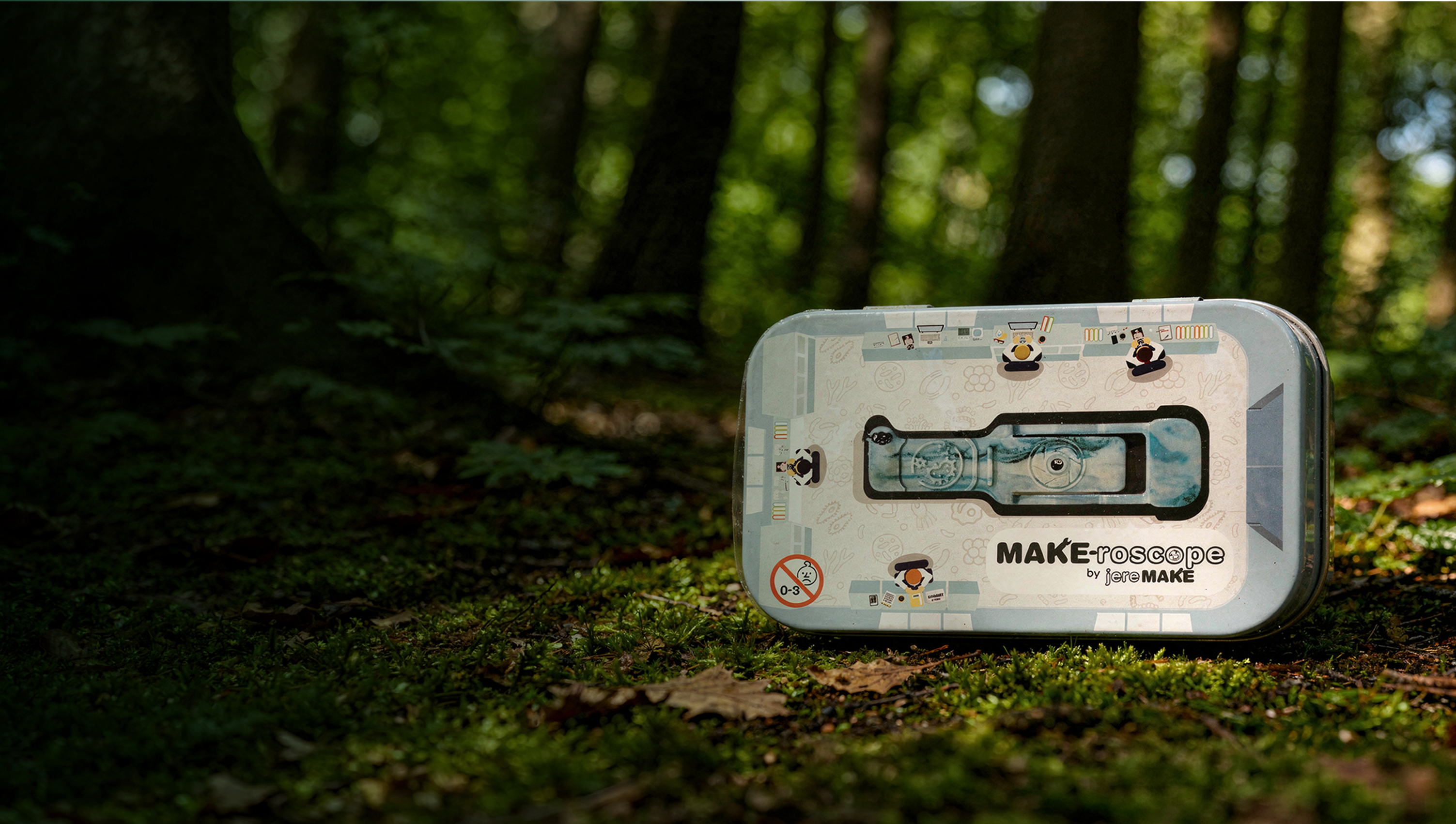
Pair with the Make-roscope
Scopey works with any phone camera — but it's designed to pair with the Make-roscope, an all-in-one pocket microscopy kit that turns any smartphone into a real microscope that magnifies about 125×.
Cheaper than a school lab. Small enough for a field trip. Made by the same team.
Making everyone a scientist
Bring Scopey to your school
Individual teachers can sign up right now. For school-wide or division-wide rollouts, custom challenge sets, or educator training, our team can help.